


How to Stop Your Phone From Listening to You Without Tech Confusion
Your phone isn’t actively listening to every conversation, but it can collect audio‑linked data in ways most people never notice. You’ve probably had the experience, you talk about something once and suddenly ads for related products follow you around. That feels invasive because it is invasive, and it raises real privacy concerns
Here’s a simple, straight-to-the-point explanation of what’s really going on, and the steps you can take to protect your privacy without losing the features you rely on.
How Phone “Listening” Actually Works
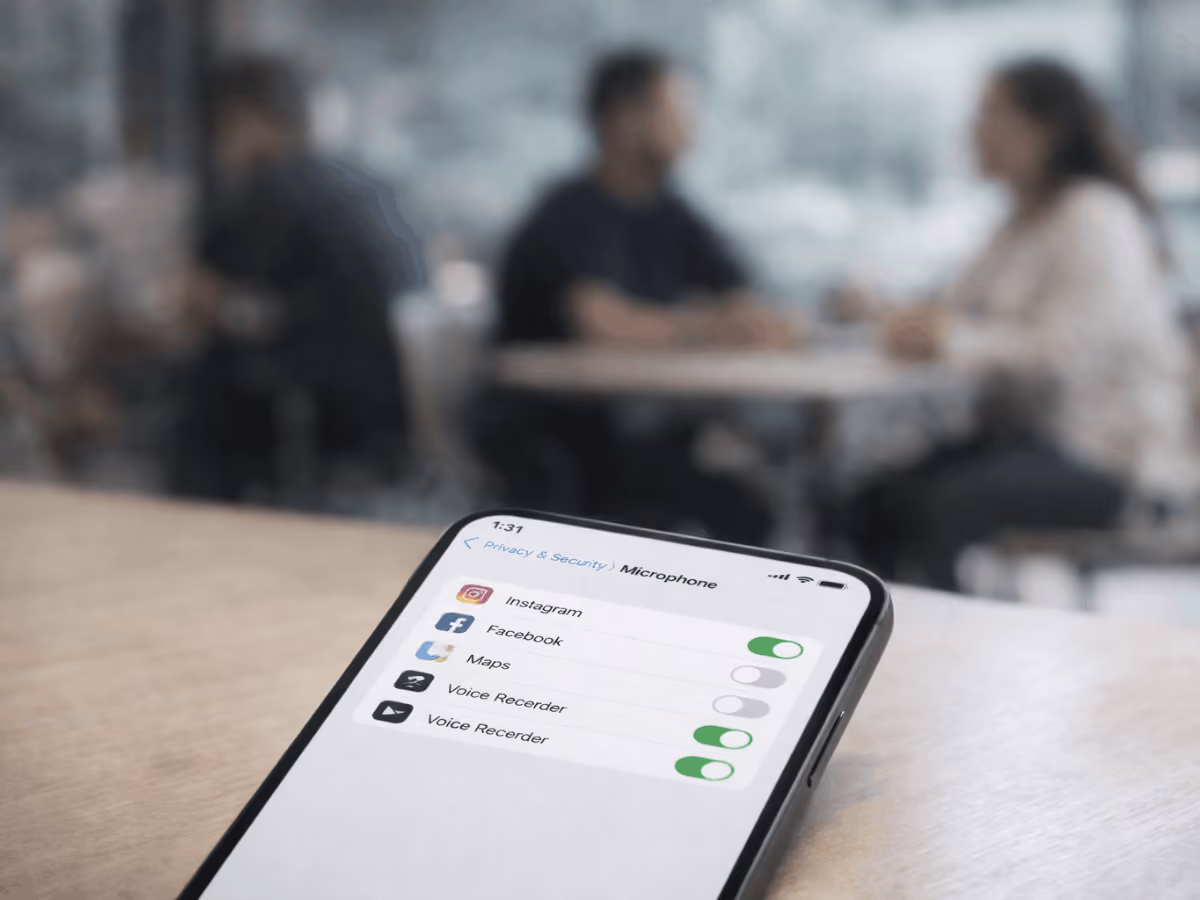
Approximately48% to 56% of Americans believe their phones listen to conversations for advertising purposes. While most phones don’t actively record private conversations, apps and virtual assistant apps can access your microphone for features like voice commands or messaging.
Tracking happens on multiple levels: some at the system level, like Siri suggestions or device analytics, and some at the app level, where individual apps may monitor usage patterns, audio cues, or interactions to deliver targeted ads. Understanding how these layers work helps you control what information your iPhone or Android device collects while still enjoying the features you rely on.
Signs Your Phone Might Be Listening
Roughly 73% of people notice ads for products shortly after talking about them. Even if it feels like science fiction, there are real clues that your phone may be collecting audio-related data. Watch out for these warning signs:
- Unexpected ads related to recent conversations: Talking about a topic and then seeing ads for it shortly after, whether in your Facebook feed, Google Maps suggestions, or social media apps, could indicate apps are using audio cues or contextual data for targeting.
- Apps that activate audio or background access: Some iPhone and Android apps request access to your microphone unnecessarily. Background audio access allows specific apps to record audio or gather data without you actively using the app.
- Battery drain or unusual data usage: Constant background activity for audio analysis can cause higher battery consumption and spikes in data usage. This is a common indicator that a smartphone or virtual assistant app may be constantly alert or recording audio for personalization.
- Microphone indicator lights on iOS/Android: Pay attention to the small indicators, like the green dot in the top right corner on iOS, that show when your microphone is active. If these pop up unexpectedly while browsing apps, playing music, or using voice messaging, some apps may have access to your microphone without your knowledge.
Recognizing these signs is the first step to controlling your privacy and stopping apps from listening without your knowledge.
How to Stop Your Phone From Listening
Protecting your privacy doesn’t have to be confusing. Here’s a complete, step-by-step approach to stop your phone from listening without losing the features you rely on.
1. Check and Revoke Microphone Permissions
Many iPhone and Android apps request microphone access unnecessarily, which can allow background listening or audio data collection.
Step-by-step:
- iPhone: Go to Settings → Privacy → Microphone and toggle off apps you don’t trust.
- Android: Go to Settings → Apps → Permissions → Microphone and review access per app.
When to keep access enabled: Apps like voice recorders or video chat apps need microphone access to function correctly. Only revoke permissions for apps that don’t require it.
2. Turn Off Voice Assistants
Voice assistants can listen for triggers like “Hey Siri” or “OK Google,” even when you’re not actively using them.
iPhone: Disable Hey Siri in Settings.
Android: Disable OK Google / Google Assistant or adjust activation sensitivity.
Consider the trade-off: turning these off improves privacy but may reduce convenience for hands-free features.
3. Stop App Background Listening
Background listening happens when apps access your microphone without active use.
- Check which apps are using your mic in the background.
- Turn off background access on a per app basis in iPhone Settings → Privacy → Microphone or Android Settings → Apps → Permissions → Microphone.
4. Restrict App Tracking and Data Collection
Listening is only part of the picture; apps also track behavior across apps and websites.
- iPhone: Turn off App Tracking Transparency in Settings → Privacy → Tracking.
- Android/Google: Limit ad personalization and disable unnecessary data collection in Google account settings.
This reduces how apps can combine audio cues with behavioral data for targeted ads.
5. Safari & Browser Listening Concerns
Websites may request microphone access for things like video chat or voice search.
- Watch for mic access prompts in Safari or Chrome.
- Review and delete site permissions you don’t recognize.
- Limit browser access to audio to prevent unwanted listening or data collection.
6. Advanced Network & System Settings
For users who want extra privacy:
- Disable voice-related services like dictation or audio search history.
- Turn off Siri & Dictation analytics on iPhone.
- Use a VPN to reduce profiling from network-level data.
This all-in-one approach gives you control over microphone permissions, voice assistants, background listening, app tracking, and browser-based listening, helping protect your privacy without breaking the core features of your device.
Third-Party Apps That Can Reduce Tracking
Even with iOS and Android privacy settings, some apps still find ways to collect location data, microphone access, or behavioral data. Using the right third-party tools can add an extra layer of privacy security.
- Privacy browsers: Apps like DuckDuckGo and Brave block trackers, limit ad personalization, and prevent websites from using your browsing history to profile you.
- Secure messaging: Encrypted messaging apps like Signal help protect your conversations from being accessed by advertisers or prying eyes.
- Anti-tracking tools: Apps that block trackers or stop iPhone apps from collecting unnecessary data can reduce background listening and prevent behavioral tracking.
Combining these tools with built-in iPhone and Android settings gives you stronger control over your data, fewer targeted ads, and less exposure to data brokers.
Fact vs Myth: What Your Phone Isn’t Doing
It’s easy to assume your phone is constantly eavesdropping, but separating fact from fiction is key to protecting your online privacy and controlling your device’s microphone access.
Myth: My Phone Secretly Records Conversations for Ads
Fact: Most phones do not record your private conversations to sell them. Ads that seem related to your discussions, whether on your Facebook feed, YouTube, or other apps, are based on app usage, social media feeds, search engine queries, and other behavioral data. Machine learning and targeted advertising use past activity, verbal cues, and profile information, not live audio recordings from your phone's microphone.
Myth: Random Ads After Talking Prove Mic Tapping
Fact: Seeing ads about something you just mentioned does not mean your phone is listening. Advertisers and data advertisers rely on aggregated device data, online activity, and app reviews. Your iPhone, Android phone, or Google app uses analytics from official app stores and operating system reports, not private conversations.
Fact: Some Access Can’t Be Fully Stopped
Even with privacy tools enabled, some features require limited microphone or audio access to function properly
- System-level diagnostics: iOS devices and Android phones collect anonymized device and usage data to improve the operating system and smartphone performance.
- Emergency features and virtual assistants: Features like Siri, Google Assistant, SOS, and voice backups require access to your phone's microphone. Commands like Hey Google, voice request history, and wake words depend on this access.
- Carrier and network metadata: Your internet connection and network provider may log certain information even if you deny microphone access to all the apps.
Knowing what can’t be fully stopped helps you focus on real privacy controls, avoid unnecessary panic, and take meaningful steps to protect your personal information without disrupting essential features.
Regain Control: Stop Your Phone From Listening to You
You don’t have to worry about your phone constantly listening. By managing microphone permissions, disabling unnecessary voice assistants, limiting background listening, and restricting app tracking, you can stop your phone from listening to you without losing essential features.
Even though system diagnostics, emergency features, and network metadata can’t be fully disabled, being proactive ensures only the data needed for core functionality is collected. With a few taps, you can protect your privacy, reduce targeted ads, and regain control of your iPhone or Android.
compare phone plans and save up to 80%


.svg)
.svg)

compare your carrier and save up to 63%


.svg)

.svg)

