


Apple Pay Blocked Transaction Scam: How to Spot It Fast
“Apple Pay blocked transaction.”
If you see that message, your first instinct is to react. That is exactly what scammers are counting on. Fake blocked-transaction alerts are being sent through text messages and emails that look legitimate at first glance.
Apple Pay does block suspicious charges, but it does not ask for sensitive information through random links.
Here is how the Apple Pay blocked transaction scam works and how to spot it fast.
What’s Actually Happening Behind the Scenes
More than half of iPhone users, about 53 percent, report having fallen victim to some form of scam despite built-in security protections.
This scam works because it imitates a real security feature. Apple Pay can block suspicious transactions, and scammers exploit that expectation. When a fake alert mirrors a legitimate safeguard, it becomes much harder to question in the moment.
It’s Not Apple Contacting You
Fraudsters send mass text messages or emails claiming a payment was blocked. The message often includes a phone number to call or a link to “verify” your account.
These alerts do not come from Apple. They are phishing attempts designed to move the conversation off your device and into a channel the scammer controls.
The objective is simple: create urgency and get you to respond quickly.
The Real Trap
If you call the number or click the link, the scammer poses as Apple Support or your bank’s fraud team. They sound professional. They may reference fake transaction details to seem legitimate.
Then they ask for:
- One-time passcodes sent to your phone
- Apple ID or banking login details
- Card verification numbers
Those one-time codes are the key. In many cases, the scammer is trying to add your card to a digital wallet on their own device. The code you provide completes that setup.
At that point, they can attempt to charge amounts that appear to be authorized wallet transactions.
This is why understanding how Apple’s privacy and security systems work matters. Even as Apple’s privacy features face regulatory scrutiny and questions about what they mean for users, the core protection model still depends on keeping verification codes private.
Subtle Red Flags Most People Miss
Reports from large financial institutions show fraud linked to Apple Pay rising sharply, increasing from about 33 percent in 2022 to nearly 60 percent in 2023, a sign that these schemes are becoming more effective.
Scam messages are not sloppy anymore. They are designed to look almost right. That “almost” is where the red flags live.
- The sender is a standard mobile number: Legitimate financial alerts usually come from verified short codes or appear inside official apps. A regular 10-digit number is a warning sign.
- The link structure looks close, but not exact: Scam URLs often include random characters, extra words, or slight misspellings. Shortened links are common because they hide the true destination.
- The timing feels engineered: Messages often arrive late at night or during busy hours when you are more likely to react quickly without verifying.
- The urgency feels artificial: Phrases like “Immediate action required” or “Account will be locked in 10 minutes” are meant to override rational thinking.
- You are asked to move off-platform: Any request to call an unfamiliar number or verify details outside your Wallet or banking app should raise concern.
Scammers rely on near accuracy, not perfect branding. If something feels just slightly wrong, that instinct is usually worth trusting.
The same tactic shows up in other phishing schemes, including health insurance scam emails and texts, where small inconsistencies hide behind official-looking language. Fraud does not have to be flawless. It only has to feel believable enough for you to respond quickly.
What a Real Apple or Bank Alert Looks Like
Most scam coverage focuses on what the fraudsters do. What matters just as much is knowing how legitimate security alerts actually work.
Here is what real Apple Pay or bank fraud alerts look like:
- They appear inside official apps: A legitimate blocked transaction notice shows up in your Wallet app or your bank’s mobile app, not through a random text with a link.
- They do not tell you to call unfamiliar numbers: If a call is required, you are directed to contact the number listed inside the official app or on the back of your card.
- They do not ask for passwords or one-time codes by text: Banks and Apple will not request your Apple ID password, verification codes, or full card details through unsolicited messages.
- They direct you to log in through official channels: You are prompted to open the app yourself and sign in, not click a shortened link or respond directly to a message.
Apple does not send unsolicited text messages asking for credentials. If a message pressures you to provide login details or verification codes, it is not a legitimate security alert.
What To Do If You Receive an Apple Pay Blocked Transaction Alert
In 2024, Apple reported blocking more than $2 billion in fraudulent transactions on the App Store, showing that real security systems are actively working behind the scenes.
If you receive an “Apple Pay blocked transaction” alert, slow down. A legitimate notice about suspicious activity will direct you to act within official channels, not through random links.
Start with these steps:
1. Do Not Click the Link
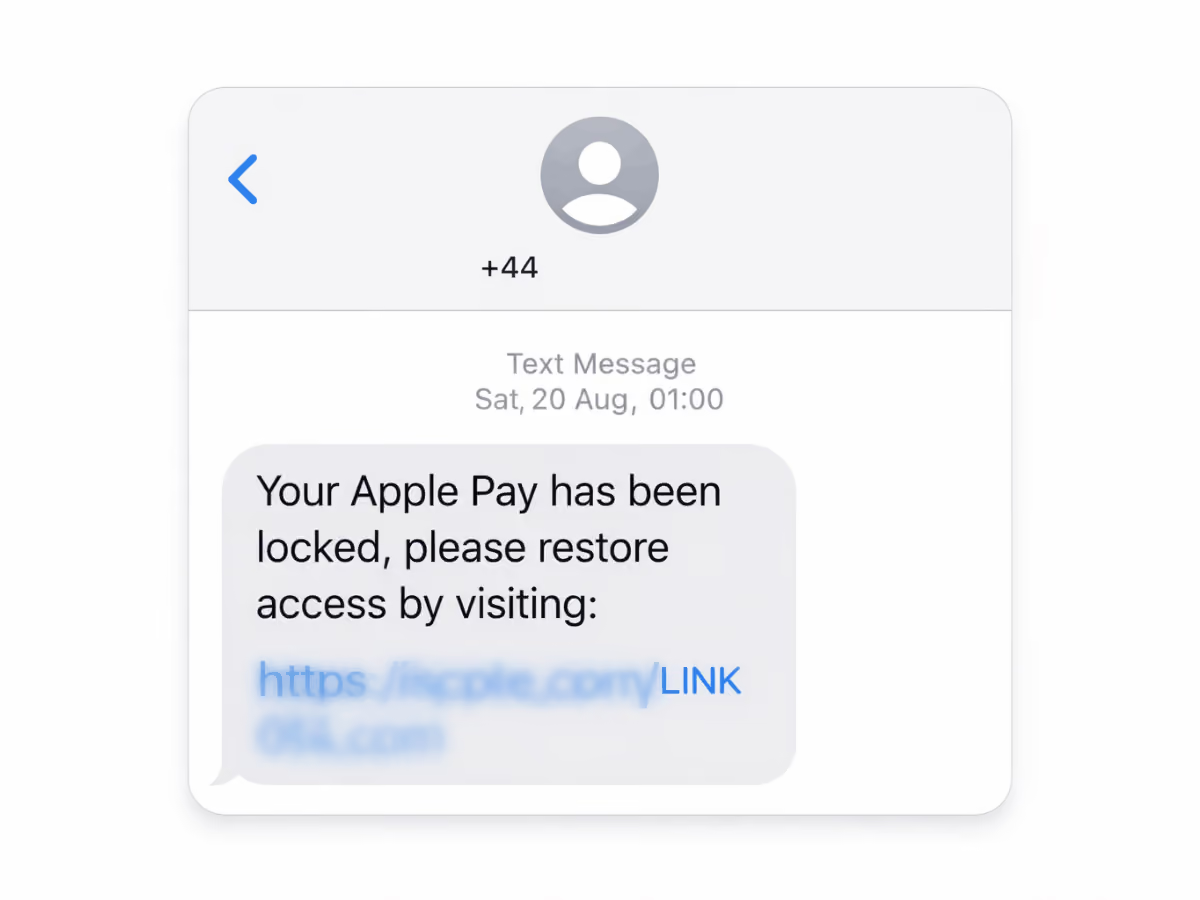
Phishing scams rely on urgency and unusual domain names that mimic an official Apple domain. Look closely for small typos, extra words, or a strange display name in the sender line. If the link does not clearly lead to apple.com, delete the message.
2. Open the Wallet or Bank App Yourself

Use Apple Pay only through the Wallet app or your bank’s official app. Log in directly from your iPhone. Do not access a page sent through text or email. Real alerts will appear inside your app, not through a fraudulent external link.
3. Review Your Purchase History

Apple Pay Wallet transaction history showing unrecognized charge warning, highlighting how to detect mobile payment scams and unauthorized transactions.
Check your recent purchases inside the Wallet app or banking app. Confirm whether any payment information was actually declined. A scam message may reference a fake case ID or vague “other details” to appear legitimate.
4. Contact the Official Number Only

If you need support, use the phone number on the back of your card, inside the app, or visit a physical Apple Store. Do not call numbers sent in a message. Apple users can also review support options through the official Apple Store app.
5. Never Share Verification Codes or Login Details
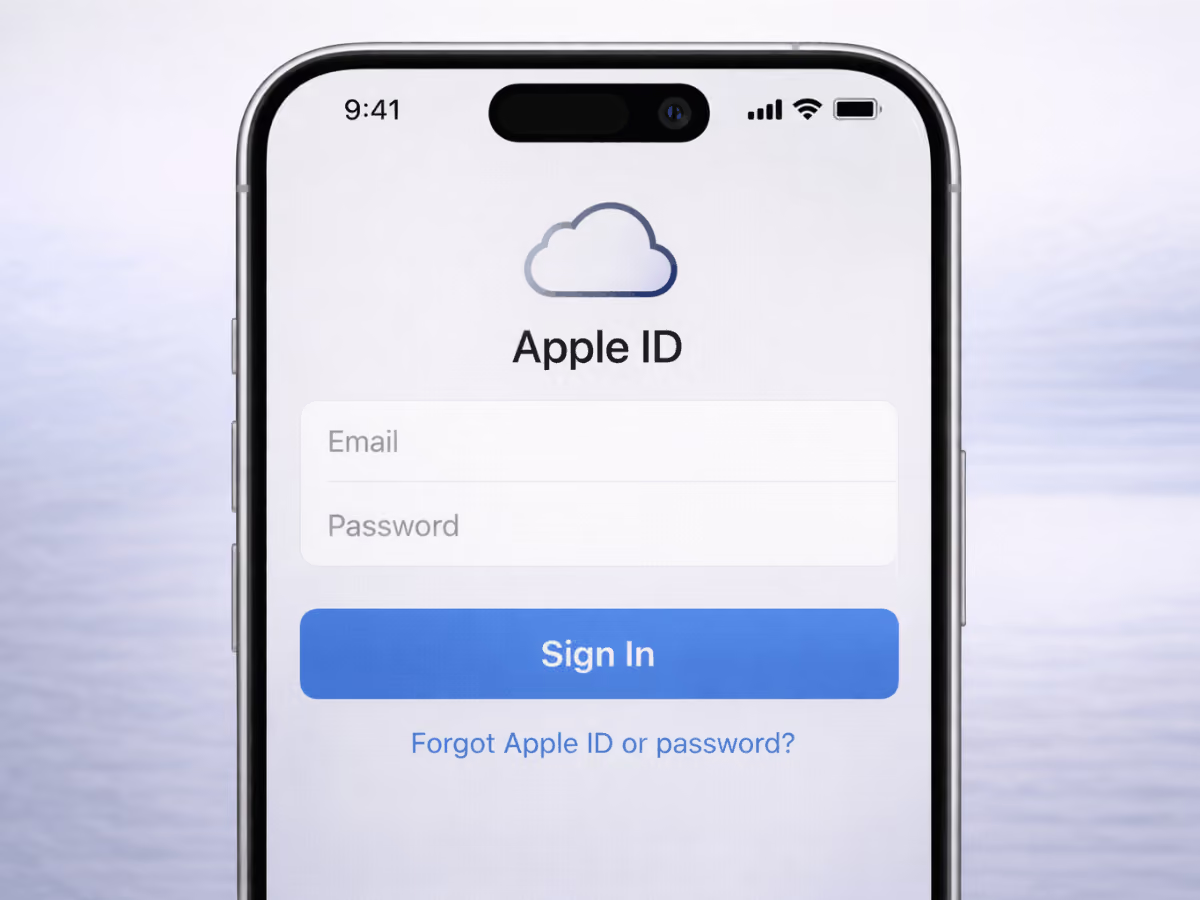
Apple ID login page on iPhone showing sign-in fields, representing fake Apple sign-in phishing attempts and account security risks.
No company will ask for one-time passcodes, Apple ID credentials, or full card details over text or unsolicited calls. Sharing those codes gives a scammer access to your account or digital wallet.
This same reporting step applies to other mobile scams, including fake recruiter texts that follow similar social engineering patterns. Documenting and reporting suspicious messages helps reduce repeat targeting and protects other users from the same scheme.
Slow Down Before You Respond
Apple and banks do block suspicious charges. But they do not ask for passwords, one-time passcodes, or full card details through random texts or calls. If a message pushes you to act outside your Wallet or banking app, that is the red flag.
A real security alert can wait while you check. A scam depends on speed. Knowing the difference is what protects your money.
compare phone plans and save up to 80%


.svg)
.svg)

compare your carrier and save up to 63%


.svg)

.svg)

