
Considering REALLY
How to transfer my number to REALLY
Summary
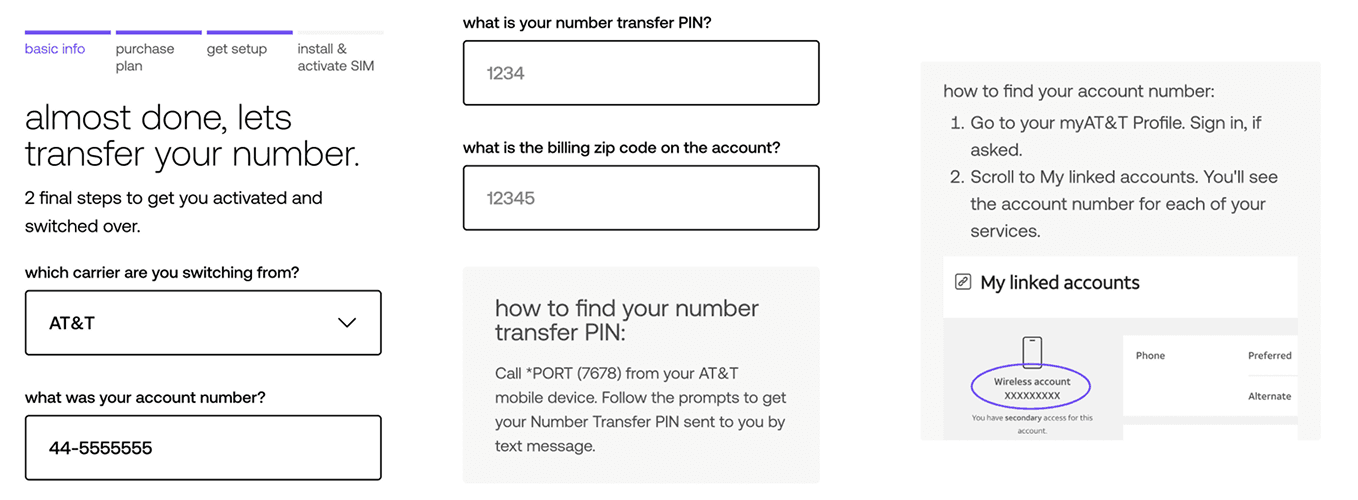
Transferring your number is easy once you get the necessary information from your existing carrier. You will need:
Your account number with your carrier
Your transfer PIN from your carrier
You zipcode from your carrier
**You can always keep your number and transfer it to an unlocked phone, the issue most people run into is making sure the phone is unlocked (paid off).** see: Is my phone unlocked? How do I unlock my phone?
Details
How to get your information from Verizon to transfer your phone number
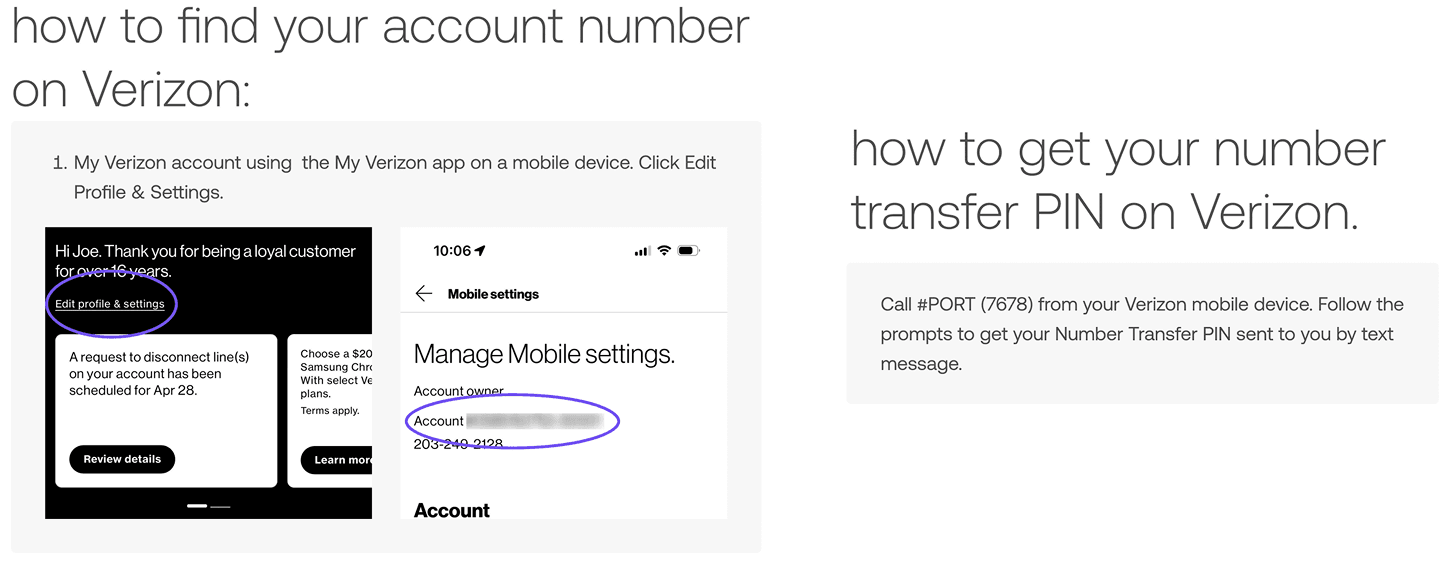
Verizon has more information on website https://www.verizon.com/support/port-out-faqs/
How to get your information from AT&T to transfer your phone number
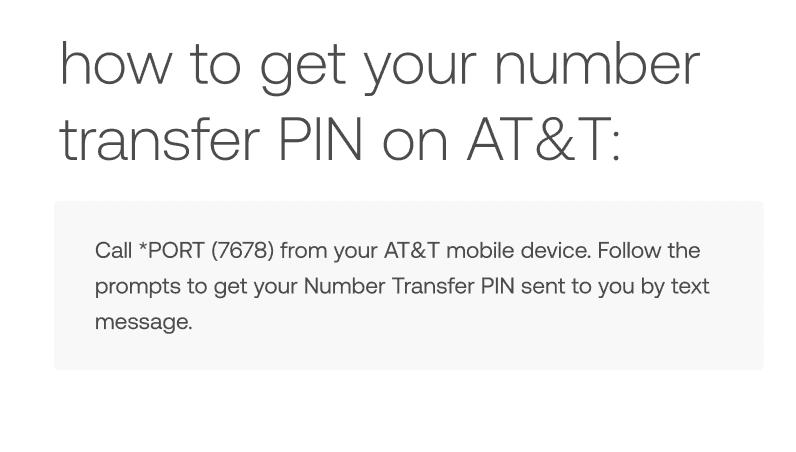
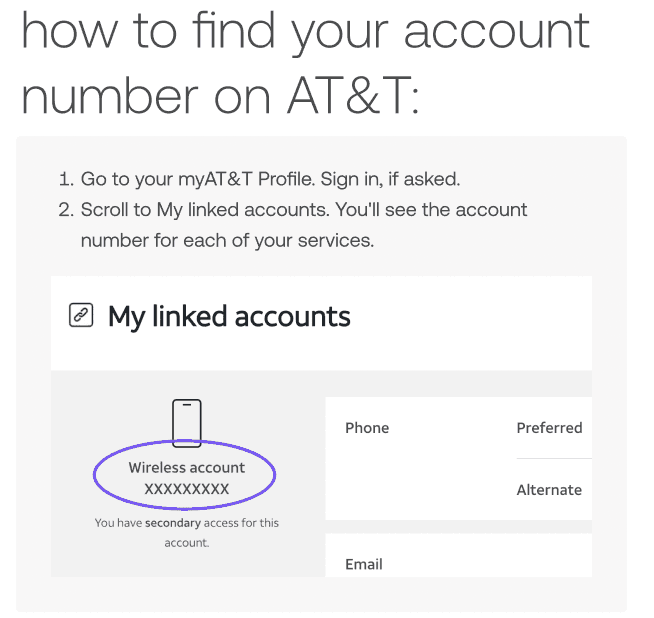
AT&T has more information on website https://www.att.com/support/article/wireless/KM1447526/
How to get your information from T-Mobile to transfer your phone number
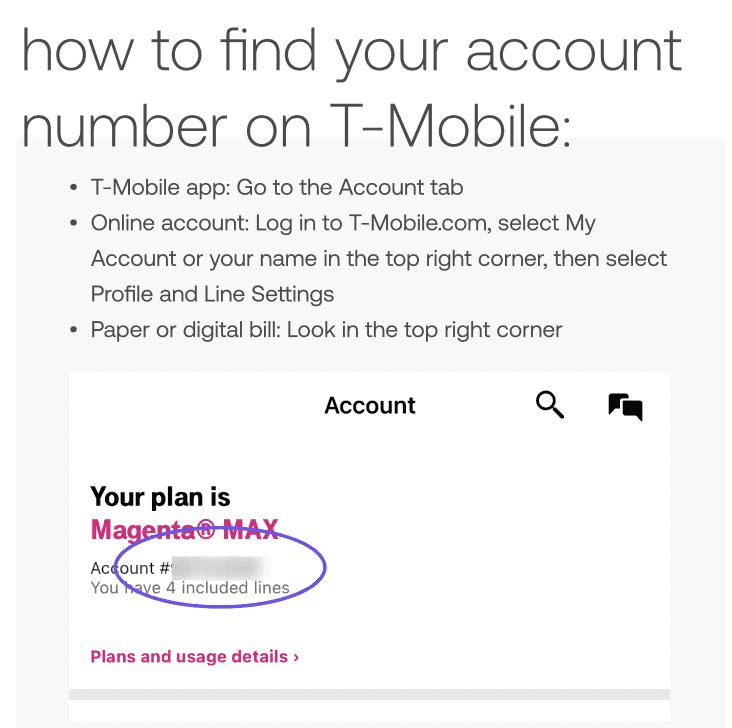
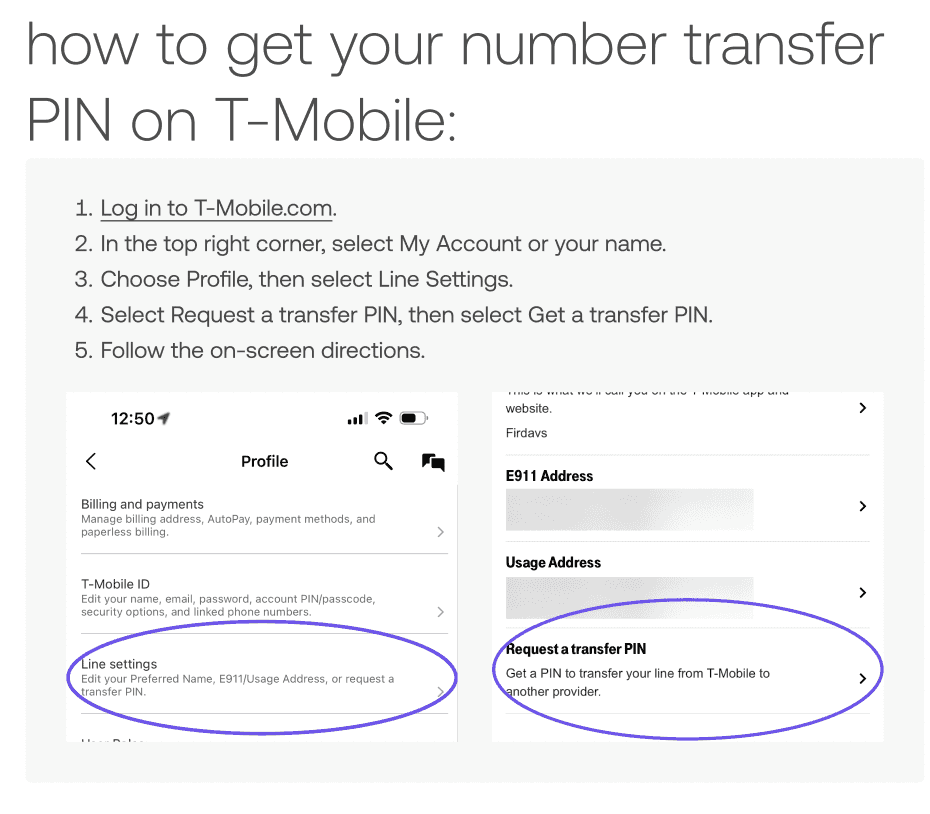
After you checkout at REALLY.com, you’ll enter your transfer PIN, account number from the carrier you’re switching from, and the zipcode from the carrier you’re switching from.
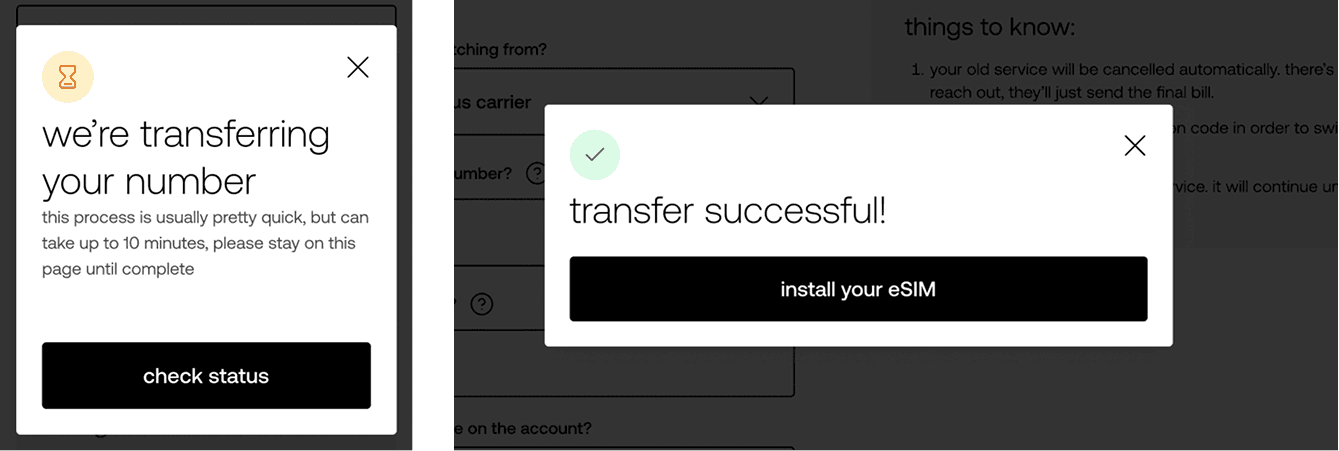
Once we complete the number transfer, you will receive a QR code to scan and activate your REALLY service with a fresh eSIM. Once you enter the transfer information you can activate service in just a few seconds.
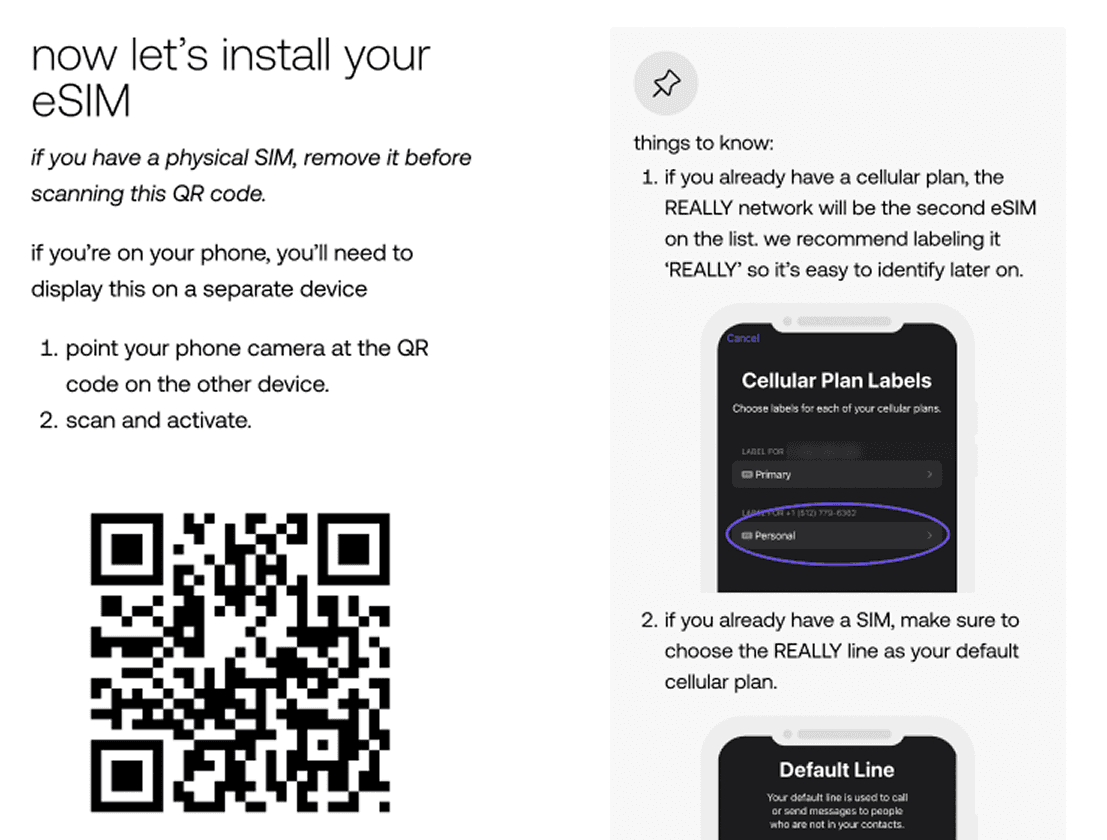
If any issues arise, you can text us for an immediate response at (877) 619-4104 or call us at 888-495-6120
Still need help?